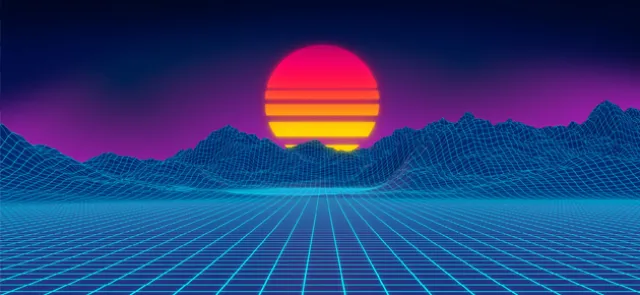




Behind the work of the CGI artists whose virtual creations inspire such wonder in us lies, more often than not… mathematics! The aim of the exhibition "Sous la surface, les maths" is to reveal and explore some of the mathematics behind virtual images. In short, beneath the surface lies mathematics!
Imagine that you want to depict an animated character on your screen—a realistic character with clothes that follow their movements, since you want to animate them. How would you go about it?
A mesh to begin with…
---------------------------
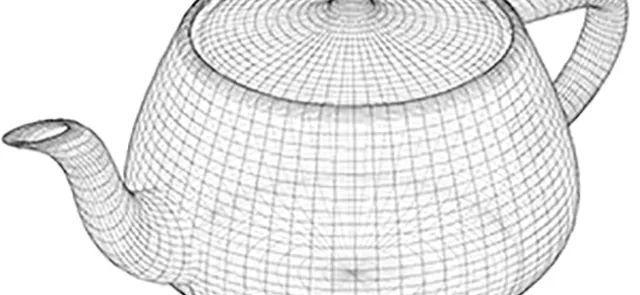
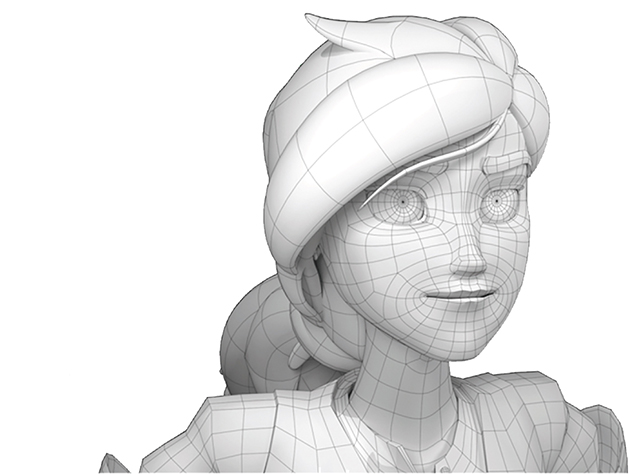
First, you draw a polyhedron that fits your character as closely as possible. This is called a mesh. If you want to animate your character—and especially to compute their movements in real time—you should avoid choosing too fine a mesh. The more points it contains, the longer the calculations will take. Yet every millisecond counts when a new image must be computed in just a few milliseconds…
On the other hand, the finer the mesh, the more accurate your drawing will be. So you need to strike a balance: for example, refining the mesh where the surface curves sharply and using a coarser mesh in flatter areas. This is where the geometry of your character's surface comes into play.
But this is where the problems begin: a surface cannot be meshed just any old way. Think of your favorite polyhedra—the cube, tetrahedron, octahedron and so on. Count their vertices V, edges E and faces F, then calculate V – E + F. You should get 2 every time. No matter how you try to mesh a sphere, you will always find V – E + F = 2 (see Tangente 174). You have just entered the realm of surface topology. This marvelous world—for mathematicians—places constraints on the choice of mesh (see our feature "Mathematics and Cinema" in Tangente 178).
Next, add a little texture
---------------------------------
Next, you must apply—or map—a texture onto your character: dress them in clothes, if you want the clothes to cling to their body, give them a skin tone, and so on. To do this, you use coordinates to locate points on the surface. Two are enough, just as latitude and longitude are enough to locate a point on Earth. Once you have chosen these coordinates, you can map a point on the surface to a point in the plane. Such a mapping can always be constructed on patches of the surface. But just as there are infinitely many ways to represent the Earth on a plane, you have a choice… and every one of these representations introduces distortions! Even so, you draw your texture flat; you—or rather, your software—then transfer the colors point by point, with each point in the plane corresponding to a point with the same coordinates on the surface. Painting with the subsequent distortions in mind is an art in itself!
Restoring depth
--------------------------
Nor should you forget that the image you have constructed is intrinsically two-dimensional: it is an image on a flat screen. To restore the illusion of depth, of 3D, you must use lighting as well as texture mapping. For this, you need one or more light sources and a viewpoint. The amount of light the object receives depends on its orientation relative to the light source: it receives more when facing the source than when turned at an angle. The object then reflects this light. How it does so depends on the effect you want to create and the nature of the object you are trying to depict. For example, for a stretch of water, you would use specular reflection: the light is reflected rather like it would be by a mirror, and if the observer is not in the direction of that reflection—which depends on the position of the source, the object's orientation and the observer's own position—they will receive little light; you would therefore make that part of the object darker.
Consider another classic example: a lawn. Here you would use diffuse reflection. The light received is reflected equally in every direction. The object will appear more matte and less shiny.
Every lighting model combines these two types of reflection, along with many other effects. For your character, if you want matte skin, you would rely more on diffuse reflection; if you want shiny skin, you would use a little more specular reflection. How do you calculate this brightness? By using the geometry of the surface, particularly the concepts of the tangent plane and the normal.
CGI artists use many other techniques to achieve breathtaking realism. All of them rely on mathematical tools, some dating back to the 19th century and others much more recent. Of course, mathematics cannot do everything: creating beautiful images also requires a genuinely artistic approach and mastery of the software tools!
To discover the mathematical tools behind the creation of virtual clothes and the realistic landscapes unfolding before our eyes, visit the exhibition "Sous la surface, les maths". Step by step, you will experiment with simple models and manipulate virtual—or very real—surfaces as you are guided toward mathematical concepts.
It will surely make you want to learn more and lead you to ask questions—the finest mathematical act of all.